Web agency
All articles
Development
Figma announces Figma Sites. And that’s not all.
Figma announces Figma Sites. And that’s not all.
News
5 min
Published on May 05, 2025
Use AI to summarize this article
Key points
In this article:
Overview of Figma Sites — publishing designs directly from
Figma files.
Introduction of new features announced at Config 2025,
including Grid, Figma Make, Figma Buzz, and Figma Draw.
How responsive design, component integration, and AI-powered
tools enhance Figma’s capabilities for web, marketing, and graphic design.
Discussion on Figma’s position in the market versus specialized
platforms like Webflow, Framer, and Adobe tools.
Who is this article for?
This article is intended for web designers, UI/UX professionals, front-end
developers, marketers, and digital creatives who want to understand the latest Figma tools and
evaluate their potential for building websites, marketing visuals, and vector graphics.
Figma Sites Announcement
Figma just announced Figma Sites, allowing designers to publish their
design directly from Figma files. This is one of the major announcements from the 2025 Config, sparking widespread
social media attention and discussions about Figma's competitive positioning.
Our Initial Take
After digesting the announcements, our assessment is measured: Figma has made a strong positioning move, but the road ahead is still long.
Config 2025 Key Announcements
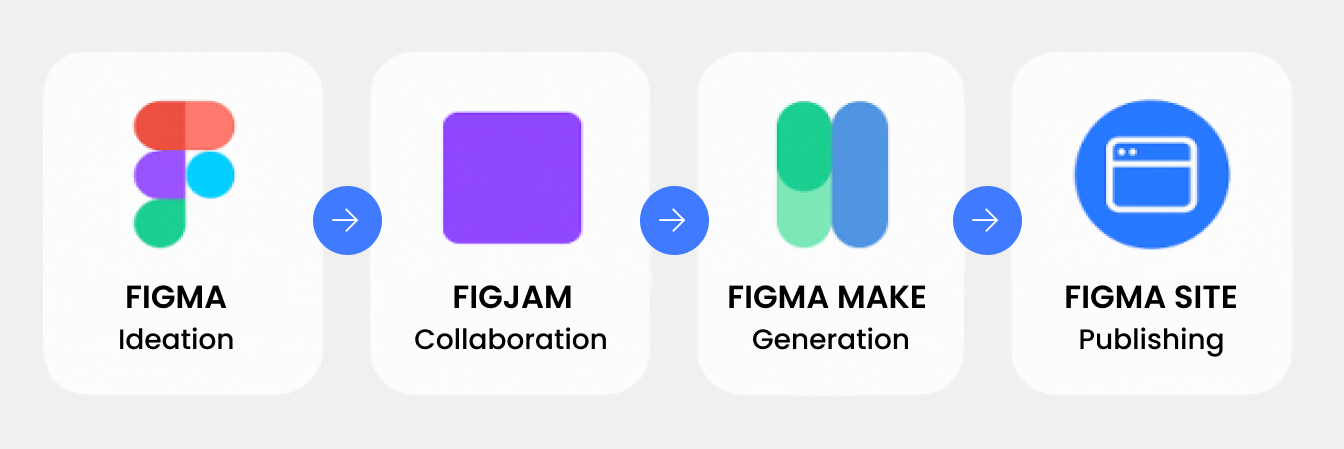
Major new features include Grid, Figma Sites, Figma Make, Figma Buzz, and
Figma Draw, each designed to enhance Figma’s web design, marketing, AI, and graphic capabilities.
1.1 Grid
Figma introduces a CSS-like grid system, standardizing complex layouts,
simplifying responsive design, and bridging design with technical development.
1.2 Figma Sites
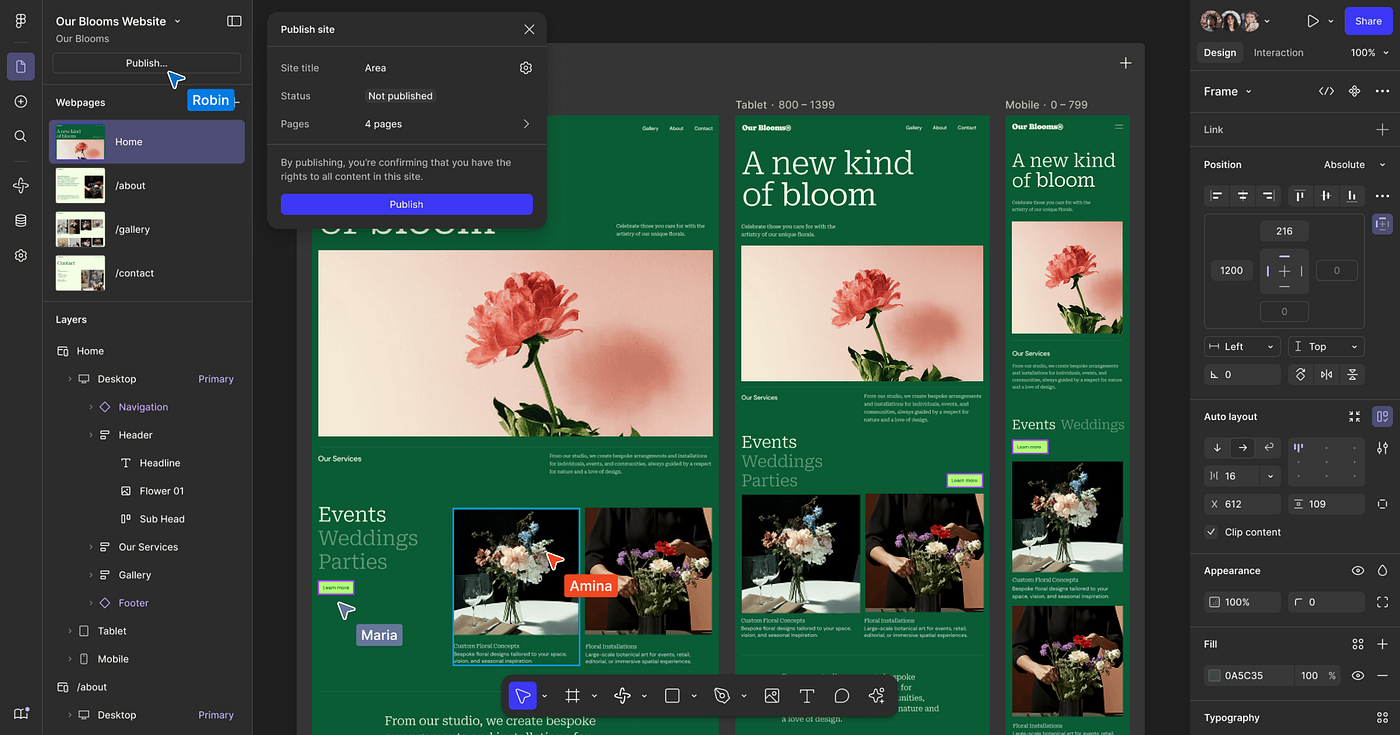
Figma Sites allows you to publish responsive websites directly from
your designs. Key capabilities include responsive grids, component integration, live prototype interactions, custom
code support, and an integrated CMS (coming soon). This feature brings design and development closer than ever.
1.3 Figma Make
AI-powered co-creation tool integrated in Figma that generates UI
components, animations, and code from simple prompts, transforming Figma from a design tool into a true AI-assisted
development platform.
1.4 Figma Buzz
Figma Buzz is designed for marketing and content teams, providing
templates, bulk editing, and AI-assisted visual generation to speed up production while maintaining brand
consistency.
1.5 Figma Draw
Advanced vector illustration tool integrated into Figma, featuring
brushes, dynamic strokes, curved text, visual effects, and graphic-style tools. Reduces the need to switch to
Illustrator for detailed vector design.
2.1 Will Figma Sites Replace Webflow or Framer?
From a product standpoint, Figma is making interesting decisions for the future, including:
Design-to-website (HTML/CSS) flow fully managed from a single
platform
Automatically generated responsive layouts
Integrated CMS (coming soon)
An ultra-intuitive way to add pre-built animations
Layers of custom code
AI assistant built directly into the builder
However, to be fully usable for professional site creation, several features still need to be tested at scale:
CMS capabilities
Roles and permissions management
Live site performance (SEO, loading speed, etc.)
Other missing features like localization and members area
Figma Sites is still in beta and should be monitored closely over the
next 2–3 years.
2.2 The Challenge of Doing Everything Well
Figma is massively expanding its scope, now trying to cover design, development, marketing, and illustration,
competing with specialists like Webflow and others. This horizontal expansion is ambitious but carries risks —
reminiscent of Adobe’s attempt to do it all in the past.
While the roadmap explains why Adobe wanted to acquire Figma, quality,
adoption, and real-life usage of these beta tools remain aspects to watch very closely in the coming
years.
Future Considerations
Questions remain whether Figma Sites can replace platforms like Webflow or
Framer. Although promising, beta features must be evaluated for scalability, performance, and
professional workflow integration.
The Challenge of Doing Everything Well
By expanding across multiple domains — design, development, marketing, illustration — Figma competes with
specialists. This horizontal approach is ambitious but carries risks similar to Adobe’s strategy in the past.
Figma is Still "Only" a Tool
Dylan Field’s keynote reminds us that in the end, AI, no-code, and other
technologies are just tools. What truly matters is our experience,
critical thinking, and ability to use them wisely.
Design Philosophy
“Design is not just a step in the process, but now the process itself. Design is more than pushing pixels — it’s
leading with curiosity, asking and re-asking ‘what if’, obsessing over
details, chasing feelings, and pushing what’s possible. In a world where AI makes building software easier than
ever, design’s craft, quality, and unique point of view make products
stand out and be loved.”
Final Thoughts – Our Agency’s Take
Figma’s product direction is solid and addresses real web use cases. For our agency, Figma Sites could replace Framer, but Webflow still leads for
professional web creation. Overall, Figma is powerful, but proper usage and design judgment remain key.









.jpg)
